Poker software is a broad category. Some tools help you track money. Some help you study strategy. Some calculate odds. Some record online hand histories. The mistake is trying to make one tool do every job.
Track your own results: The Poker bankroll tracker app guide explains what Poker Stack records, when an app beats a spreadsheet, and how to review sessions with less guesswork.
Types of poker software
| Category | Use it for | Good fit |
|---|---|---|
| Bankroll and session tracker | Results, stakes, venues, notes, and bankroll history | Live players, tournament players, and anyone who wants honest records |
| Odds calculator | Equity, outs, pot odds, and hand matchups | Beginners and study sessions |
| GTO solver | Ranges, bet sizing, bluffs, and balanced strategy | Serious study away from the table |
| HUD and hand-history tracker | Online hand databases and opponent stats | Online rooms that allow these tools |
| Training app | Drills, quizzes, push-fold practice, and hand reading | Players who want repeatable practice |
| Home-game app | Hosting games, timers, seating, and chip counts | Private games and casual groups |
Start with bankroll tracking
If you do not know your results, every other tool can trick you. You can study solvers for hours and still move down because you played too big, ignored expenses, or mixed life money with poker money.
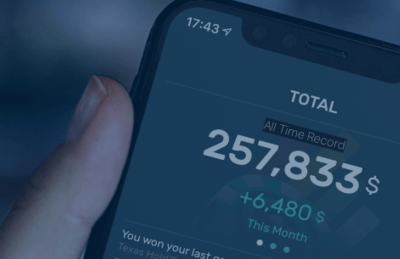
Poker Stack is built for session and bankroll tracking. Use it to record game type, stakes, venue, buy-ins, cashout, time played, and notes. Then use study tools to explain patterns you see in your results.
Odds calculators and cheat sheets
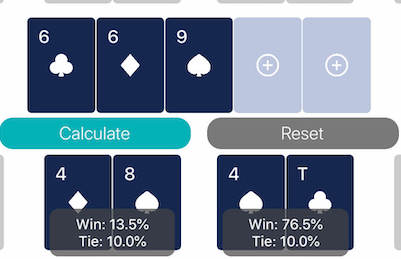
Odds software helps you learn equity. It is useful when you are reviewing draws, common all-in spots, and pot odds. Start with the poker odds cheat sheet, then use a calculator when you want exact numbers.
Solvers and study software
Solvers are powerful, but they work best when you already understand ranges and position. Use the GTO solver guide if you want to compare solver tools and safe study habits.
Keep this rule: solvers are for study away from the table. Many poker rooms ban real-time assistance. Do not risk an account because a tool looks convenient.
HUDs and online trackers
HUDs and hand-history trackers can be useful for online poker when allowed. They help you review volume, preflop stats, win rates, and opponent tendencies. They also come with site-rule risk. Some rooms restrict third-party tools or anonymize tables.
The refreshed poker tracking software guide explains the difference between HUDs, databases, and bankroll trackers.
Recommended Poker Stack software path
- Track every session and bankroll movement first.
- Learn hand rankings, outs, and pot odds.
- Add training drills for the format you actually play.
- Use a solver or reviewed solutions for common spots.
- Review results weekly instead of judging every session emotionally.
FAQ
What is the best poker software for beginners?
Beginners usually need a bankroll tracker, an odds calculator, and simple training tools before advanced HUDs or solvers.
Are poker HUDs allowed?
Some online rooms allow HUDs, some restrict them, and some ban them. Check the rules of the exact site you play on.
What software should live poker players use?
Live players benefit most from bankroll tracking, session notes, odds study, and training tools because live hands are not imported automatically.
Do I need a solver to win at low stakes?
No. Solvers help study, but low-stakes players often gain more from position, bankroll discipline, value betting, and basic hand review.
Guides in this hub

For more bankroll and strategy articles, read the Poker Stack blog.